




Table of Contents
ToggleGoogle Workspace vs Microsoft 365 is not simply a choice between Gmail and Outlook; it is a decision about how your business communicates, creates documents, manages information, supports remote work, and controls technology risk.
The right platform should fit the way your teams actually work rather than forcing employees to change productive habits without a clear business reason.
In this guide, we compare Google Workspace and Microsoft 365 for business use in 2026, including collaboration, office productivity, project management, security, administration, cost considerations, and migration risks.
You will learn which platform may fit different business environments and how to make a decision based on workflow, governance, and long-term operational needs.
Google Workspace vs Microsoft 365: What Is Really Being Compared?
A useful Google Workspace comparison starts by looking beyond individual applications. Both platforms combine business email, calendars, file storage, document editing, collaboration tools, administration, identity controls, and security features.
The practical difference is how those components fit together and how your employees use them every day.
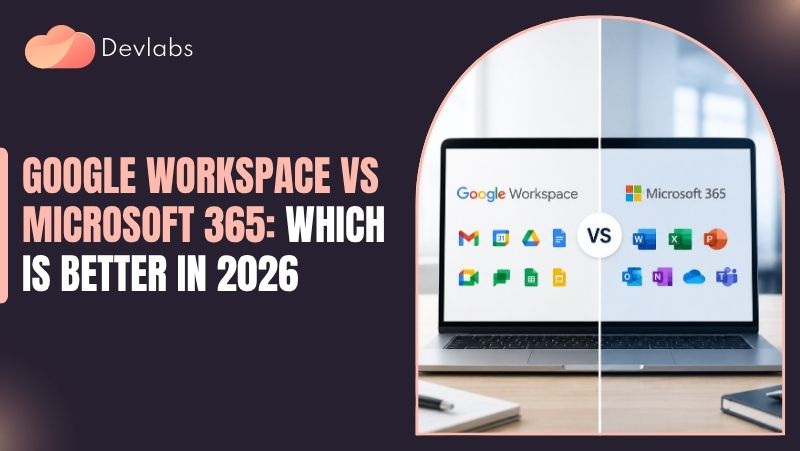
Google Workspace is built around cloud-native applications such as Gmail, Google Drive, Docs, Sheets, Slides, Meet, Chat, and Calendar. Microsoft 365 services such as Outlook, Exchange Online, OneDrive, SharePoint, Teams, and the Microsoft Office desktop applications.
The exact capabilities available to your organization depend on the subscription edition, configuration, licensing, and the applications your business chooses to deploy. This distinction matters in a Google Workspace vs Microsoft 365 comparison.
The Core Difference in Working Style
Google Workspace generally emphasizes browser-based work, real-time coauthoring, simple sharing, and access from a wide range of devices. A team can open a document in a browser, work in it together, review changes, and continue without depending on a single employee’s local computer.
Microsoft 365 supports cloud collaboration as well, but it also has a deep desktop application ecosystem. Word, Excel, PowerPoint, and Outlook remain important to organizations that rely on advanced formatting, complex spreadsheets, specialized templates, offline work, or established Office workflows.
Teams and SharePoint extend that environment into communication, file management, and intranet-style collaboration. That can shape a Google Workspace vs Microsoft 365 decision.
The difference is not that one platform is cloud-based and the other is not. Both have cloud services. The more meaningful question is whether your business wants a browser-first environment, a desktop-and-cloud environment, or a carefully managed combination of both.
What Businesses Usually Mean by G Suite for Business
G Suite for business is the former name many people still use for Google Workspace.
The branding changed, but the underlying search intent remains common: businesses want professional email, shared files, productivity applications, video meetings, and administrative controls without building those systems independently. This is a practical factor in Google Workspace vs Microsoft 365 planning.
When evaluating a current plan, use the present Google Workspace product and edition details rather than relying on older G Suite comparisons.
Storage limits, security controls, application features, and artificial-intelligence-related capabilities can change by edition and over time. A platform decision should be based on the plan your business would actually purchase and configure.
Productivity, Collaboration, and Everyday Usability
For many organizations, the best platform is the one employees can use consistently with the fewest workarounds. Compare the daily experience of writing documents, editing spreadsheets, scheduling meetings, sharing files, communicating with colleagues, and working away from the office.
Small points of friction become significant when multiplied across an entire workforce. Business workflows should guide any Google Workspace vs Microsoft 365 choice.
Gmail, Outlook, and Business Communication
Gmail is familiar to organizations that prefer browser-based email, fast search, labels, conversational threads, and tight integration with Google Calendar, Meet, and Drive.
Its interface can be efficient for employees who work primarily in a browser and manage large volumes of email through search and filtering.
Microsoft 365 typically centers business email on Outlook and Exchange Online. Outlook is often a strong fit for organizations that already use desktop Office applications, shared mailboxes, calendar delegation, complex scheduling, or established Microsoft workflows.
Employees may also value the ability to work with email, calendars, contacts, and tasks through a more traditional desktop client. This requirement can materially affect a Google Workspace vs Microsoft 365 evaluation.
Neither approach eliminates the need for email governance. Your business still needs policies for retention, external sharing, account recovery, mobile access, phishing protection, and former-employee offboarding. A polished interface cannot compensate for weak administration.
Documents, Spreadsheets, and Presentations
Google Docs, Sheets, and Slides are designed for simultaneous editing and browser access. They work well when several people need to review a proposal, update an operating plan, or contribute to a shared presentation without passing files back and forth.
Version history and comments also make it easier to understand how a document changed. Teams comparing Google Workspace vs Microsoft 365 should test this in practice.
Microsoft Word, Excel, and PowerPoint offer mature features that can matter in finance, operations, legal work, engineering, sales, and executive reporting.
Advanced Excel formulas, macros, add-ins, formatting requirements, and document templates may make Microsoft 365 a more practical choice for some teams. Compatibility also matters when customers, suppliers, regulators, or partners expect Office file formats.
The common mistake is to compare basic word processing and spreadsheet tasks only. Test your real files.
A platform that works well for simple documents may create delays if your organization depends on complex workbooks, macros, mail merges, custom fonts, or highly controlled presentation templates. That tradeoff belongs in a Google Workspace vs Microsoft 365 assessment.
Google Workspace Project Management and Microsoft Workflows
Google Workspace can support project management through shared Drives, Docs, Sheets, Calendar, Meet, Chat, and integrations with specialized project tools. This approach can work well for teams that manage projects through shared plans, action registers, meeting notes, dashboards, and lightweight workflows.
Microsoft 365 can support project work through Teams, Planner, SharePoint, Lists, Outlook, and integrations with other Microsoft services.
Teams can provide a central workspace for conversations, meetings, files, and task coordination, while SharePoint can support structured document libraries and permissions. This point helps clarify the Google Workspace vs Microsoft 365 decision.
Neither platform is automatically a complete project management system for every business. If you need advanced resource planning, portfolio reporting, time tracking, formal dependencies, or industry-specific workflows, you may need a dedicated application connected to your productivity platform.
The important test is whether the platform helps project owners find the current plan, identify ownership, document decisions, and keep access controlled. This distinction matters in a Google Workspace vs Microsoft 365 comparison.
Collaboration Trade-Offs
Real-time editing is valuable, but collaboration also creates governance questions. Before selecting a platform, decide how your business will handle shared ownership, external collaborators, confidential files, duplicate documents, inactive project sites, and employees who leave the organization.
Google Workspace may feel simpler for teams that favor open collaboration and browser access. Microsoft 365 may be better suited to organizations that need a more structured mix of desktop applications, teams, sites, libraries, and enterprise workflows.
Both can be effective when the design is intentional. That can shape a Google Workspace vs Microsoft 365 decision.
You may also like: Google Workspace Migration: A Complete Guide for Businesses
Security, Administration, and Business Continuity
Security should be evaluated as an operating model, not as a feature checklist. Google Workspace and Microsoft 365 both provide administrative, identity, access, mobile, audit, and data-protection capabilities, but the practical level of protection depends on the edition selected and how the environment is configured.
Identity and Access Controls
Start with identity. Require strong authentication, protect administrator accounts, remove unused accounts, and connect onboarding and offboarding to a documented process.
Single sign-on, multifactor authentication, conditional access, device controls, and role-based administration can reduce exposure, but they need to be implemented and monitored. This is a practical factor in Google Workspace vs Microsoft 365 planning.
Microsoft 365 organizations often use Microsoft Entra ID for identity and access management, with conditional access policies that can consider factors such as user, device, location, application, and risk.
Google Workspace provides administrative controls through its identity and security capabilities, including controls for account access, organizational units, devices, applications, and authentication. Available controls vary by edition.
A business should not choose a platform solely because a security setting exists.
Ask whether your team can configure it correctly, review alerts, investigate suspicious activity, and maintain the policy as employees, devices, and applications change. Business workflows should guide any Google Workspace vs Microsoft 365 choice.
Data Governance and File Sharing
File sharing is one of the most common sources of accidental exposure. A sound design defines who can share externally, whether links are permitted, how sensitive data is labeled or restricted, and what happens when an employee changes roles.
Google Drive and Microsoft OneDrive or SharePoint can all support centralized storage, but their structures differ. Google Workspace commonly uses My Drive and shared drives, while Microsoft 365 may distribute content across OneDrive, SharePoint sites, Teams channels, and other services.
Without clear ownership rules, users may save important information in personal locations or create multiple unofficial versions. This requirement can materially affect a Google Workspace vs Microsoft 365 evaluation.
Document the location for key business records before migration. Then test permissions using ordinary user accounts, not only administrator accounts. Many access problems become visible only when a user belongs to several groups or receives inherited permissions from a shared workspace.
Email Threats and Recovery Planning
Business email compromise, credential theft, malicious links, and unsafe attachments remain concerns regardless of platform. Both Google Workspace and Microsoft 365 environments require phishing-resistant habits, technical controls, administrator monitoring, and user reporting procedures. Teams comparing Google Workspace vs Microsoft 365 should test this in practice.
Business continuity also deserves separate attention. A cloud platform may reduce the burden of maintaining local servers, but it does not remove every continuity risk. You still need to consider internet outages, compromised accounts, accidental deletion, retention requirements, third-party integrations, and recovery of critical data.
Native retention or recovery features should not automatically be treated as a complete independent backup strategy. That tradeoff belongs in a Google Workspace vs Microsoft 365 assessment.
At Devlabs Global, a practical assessment would connect the platform decision to managed IT, cybersecurity, identity, endpoint, and cloud-management requirements. The goal is not to promise that any platform eliminates risk. It is to establish controls your team can operate, review, and improve.
You may also like: How Microsoft 365 Consulting Services Help in Cloud Migration
Which Platform Fits Your Business Model and Existing Technology?
The answer to Google Workspace vs Microsoft 365 often becomes clearer when you examine the environment you already have. Replacing a platform has a technical cost, but it also changes employee habits, documentation, integrations, support procedures, and vendor relationships.
Google Workspace May Fit When
Google Workspace may be a strong candidate when your employees work primarily in browsers, collaborate on shared documents, use a variety of devices, and prefer a straightforward cloud workflow. It can also suit organizations that want to minimize dependence on local installations for everyday productivity.
This does not mean Google Workspace is only for small businesses.
Larger organizations can use it, but they typically need more deliberate identity design, data governance, device management, application controls, and administrative delegation as complexity grows. This point helps clarify the Google Workspace vs Microsoft 365 decision.
Microsoft 365 May Fit When
Microsoft 365 may be a better fit when your business depends on desktop Office applications, advanced Excel workbooks, Outlook-centered scheduling, Windows device management, SharePoint content structures, Teams collaboration, or integrations already built around Microsoft services.
Microsoft 365 can also be appropriate when customers and partners routinely exchange Office documents or when employees need reliable offline access to familiar desktop tools. However, its broad feature set can create administrative complexity.
Buying licenses without deciding how Teams, SharePoint, OneDrive, and identity policies will be used can leave users with several overlapping places to work. This distinction matters in a Google Workspace vs Microsoft 365 comparison.
What About a Mixed Environment?
Some organizations operate both platforms because of acquisitions, customer requirements, departmental preferences, or specialized workflows. A mixed environment can be practical, but it should be treated as a deliberate operating decision rather than a permanent accident.
Running both platforms may mean duplicate identities, overlapping storage, inconsistent retention policies, more difficult support, and higher training demands.
If you keep both, define the system of record for email, documents, calendars, security alerts, and employee lifecycle processes. Also decide which platform receives primary administrative attention. That can shape a Google Workspace vs Microsoft 365 decision.
A Practical Evaluation Matrix
Before making a decision, score each platform against your actual requirements instead of relying on general reputation. Consider these questions:
- Which applications and file formats are business-critical?
- How much work occurs offline or on managed desktop computers?
- Do employees need open coauthoring or structured document libraries?
- What identity, device, compliance, and audit controls are required by your business?
- Which integrations are essential, and are they supported reliably?
- Can your internal team administer the environment or will you need outside support?
A short pilot should include representative employees and real workflows. Test a complex spreadsheet, an externally shared document, a leadership meeting, a new-hire setup, a departing-user process, a mobile device, and a recovery scenario.
Ask users where they lost time, not only whether they liked the interface. This is a practical factor in Google Workspace vs Microsoft 365 planning.
Migration, Cost, and Long-Term Management Decisions
License price is only one part of the total decision. A platform can appear inexpensive until you account for migration labor, training, file cleanup, third-party applications, support, security configuration, backup requirements, and productivity lost during transition.
Compare Total Operating Cost
When comparing Google Workspace and Microsoft 365, evaluate the subscription editions that provide the controls your organization actually needs.
Avoid comparing a lower-cost plan from one provider with a higher-capability plan from the other and then treating the result as a fair conclusion. Business workflows should guide any Google Workspace vs Microsoft 365 choice.
Include the cost of administration, endpoint management, identity support, security monitoring, data protection, help desk assistance, and specialized applications. A lower license fee may not be economical if employees spend more time converting files or if your team lacks capacity to manage access and security.
Pricing and included features can change, and taxes, partner arrangements, contract terms, and business requirements may affect the final amount.
Confirm current details before signing an agreement, particularly if your organization operates in the United States and is reviewing Microsoft 365 USA purchasing or support options. This requirement can materially affect a Google Workspace vs Microsoft 365 evaluation.
Plan the Migration Around Business Risk
A migration should begin with discovery, not bulk copying. Inventory users, aliases, shared mailboxes, calendars, groups, shared drives, OneDrive and SharePoint content, third-party integrations, mobile devices, retention needs, and business-critical files.
Identify inactive data before moving it. Migrating clutter makes the new environment harder to manage.
Plan a sequence that limits disruption. A typical project may include assessment, information architecture, identity preparation, pilot migration, user communications, staged migration, validation, and post-migration support.
The exact sequence depends on the source and destination platforms, data volume, tools, and business constraints. Teams comparing Google Workspace vs Microsoft 365 should test this in practice.
Pay special attention to permissions and links. A file can migrate successfully while its sharing behavior changes. Confirm that owners, groups, external collaborators, calendar resources, automated workflows, and application connections still function as intended.
Change Management Is an IT Requirement
Employees do not experience a migration as a technical project. They experience it as a change to how they send email, find files, schedule meetings, edit documents, and request help.
Explain what is changing, when it is changing, and where users should perform common tasks after the transition. That tradeoff belongs in a Google Workspace vs Microsoft 365 assessment.
Provide short task-based guidance rather than a long feature catalog. Show users how to find a shared file, restore a prior version, schedule a meeting, report a phishing message, and contact support.
Track recurring questions during the pilot and update the rollout plan before expanding it.
For businesses without enough internal capacity, Devlabs Global can be considered as part of a broader managed IT or cloud-services plan, particularly when the organization needs help with assessment, administration, security alignment, support processes, or ongoing monitoring.
The scope should be defined around the business’s actual environment rather than assumed from the product name. This point helps clarify the Google Workspace vs Microsoft 365 decision.
Wrapping Up
Google Workspace vs Microsoft 365 is best decided by matching the platform to your workflows, file requirements, security maturity, device environment, integrations, and ability to manage change.
Google Workspace often appeals to browser-first teams that prioritize simple real-time collaboration, while Microsoft 365 may be the stronger fit for organizations that rely on desktop Office applications, Outlook, advanced spreadsheets, and a broader Microsoft ecosystem.
There is no universal winner for every business. Test representative work, compare equivalent plan capabilities, document governance requirements, and calculate the full cost of operating the environment.
If your organization needs help evaluating Google Workspace, Microsoft 365, identity, security, cloud administration, or ongoing IT support, Devlabs Global can help structure the decision around reliability, risk reduction, productivity, and long-term manageability. This distinction matters in a Google Workspace vs Microsoft 365 comparison.
FAQs About Google Workspace vs Microsoft 365
Neither is universally better. Google Workspace often suits browser-first collaboration, while Microsoft 365 may fit businesses dependent on desktop Office, Outlook, Excel, Teams, and Microsoft integrations. The practical answer depends on your environment, business priorities, security requirements, integrations, and available internal expertise. Validate the approach against real workflows, then assign an owner to review results over time.
Pricing depends on the specific editions, users, storage, security controls, and support required. Compare equivalent plans and include migration, administration, training, backup, and integration costs. That can shape a Google Workspace vs Microsoft 365 decision. That discipline gives a Google Workspace vs Microsoft 365 decision a clearer operational basis. Treat this as an operating decision rather than a one-time technical task.
G Suite for business is the former name for Google’s business productivity platform. Google Workspace is the current brand and includes Gmail, Drive, Docs, Meet, Calendar, and related services. Assess the decision against your business workflows, security requirements, integrations, and support capacity. Use documented requirements and success criteria so technical choices remain aligned with business operations and long-term administration.
Microsoft 365 is often a better fit for advanced Excel formulas, macros, specialized templates, and complex Office workflows. Test your actual files because requirements vary by department. This is a practical factor in Google Workspace vs Microsoft 365 planning. Document responsibilities so the approach stays maintainable over time. The right approach should reflect your environment, risk tolerance, governance needs, and available expertise.
Yes. Google Workspace can support project management through Docs, Sheets, Drive, Calendar, Meet, Chat, and integrations. Complex resource planning or portfolio work may require a dedicated project application. Use documented requirements and success criteria so technical choices remain aligned with business operations and long-term administration. Validate the approach against real workflows, then assign an owner to review results over time.
Both provide meaningful security controls, but neither is secure by default without proper configuration. Focus on multifactor authentication, access policies, device controls, monitoring, training, and recovery planning. Business workflows should guide any Google Workspace vs Microsoft 365 choice. That discipline gives a Google Workspace vs Microsoft 365 decision a clearer operational basis. Document responsibilities so the approach stays maintainable over time.
Yes, migrations are possible, but email, calendars, files, permissions, aliases, integrations, and user habits require planning. A pilot and staged rollout can reduce disruption and expose issues early. The practical answer depends on your environment, business priorities, security requirements, integrations, and available internal expertise. Keep the choice tied to business requirements, measurable outcomes, and clear operational ownership.
U.S. businesses should compare current plan terms, data governance needs, support expectations, integrations, and workforce workflows. The right choice depends on operational requirements, not location alone. This requirement can materially affect a Google Workspace vs Microsoft 365 evaluation. Treat this as an operating decision rather than a one-time technical task. Document responsibilities so the approach stays maintainable over time.

The Devlabs Global Editorial Team creates practical IT resources backed by more than 24 years of real-world managed services experience. Every article is reviewed by experienced IT consultants to provide accurate, trustworthy guidance on cloud consulting, IT infrastructure, monitoring, and business productivity solutions.


